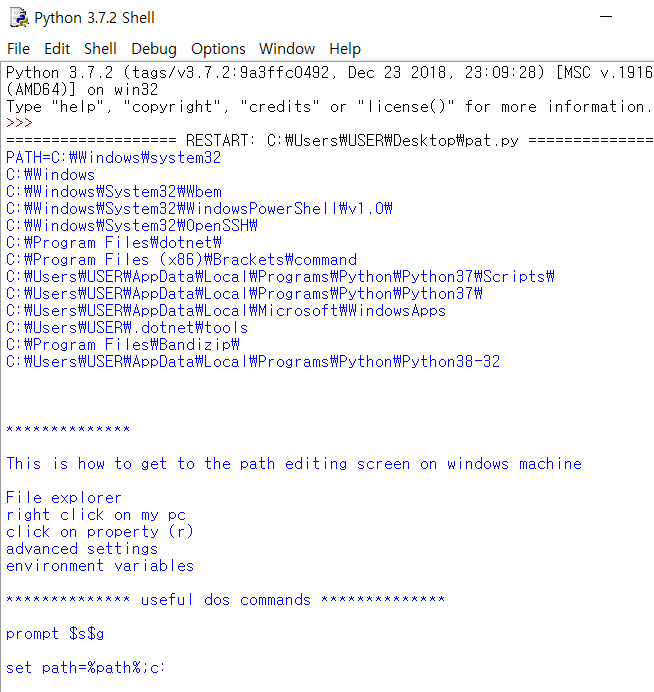
Windows 에서 Path를 보려면 좀 번거로운 경우가 많다. 이것을 해결하기 위해서 파이썬 프로그램을 이용하면 좋다.
import os
file_name = '_p1a2t3h4.txt'
os.system('path > ' + file_name)
test_file = open(file_name, "r")
lines = test_file.readlines()
for itm in lines:
if len(itm) > 0:
splited = itm.split(';')
for itm2 in splited:
print(itm2)
test_file.close()
os.system('del ' + file_name)
msg = '''
**************
This is how to get to the path editing screen on windows machine
File explorer
right click on my pc
click on property (r)
advanced settings
environment variables
************** useful dos commands **************
prompt $s$g
set path=%path%;c:\
'''
print( msg )
'파이썬 언어' 카테고리의 다른 글
| 파이썬, 코맨드 창에서 읽어 들이기 (0) | 2021.01.01 |
|---|---|
| Code를 HTML 형식으로 만들기 (0) | 2021.01.01 |
| 파이썬을 이용해서 Log 함수 계산하기 (1) | 2021.01.01 |
| 파이썬 리스트를 정렬하여 출력하는 방법 (1) | 2020.12.30 |
| Python에서 파일 읽어 들이기 (0) | 2020.11.19 |


댓글